 sensor labs
Data
Find and update your saved data
Use Sources, Summary, Tools and Export guides after onboarding.
Screenshots use sample company data. Captured November 12, 2026.
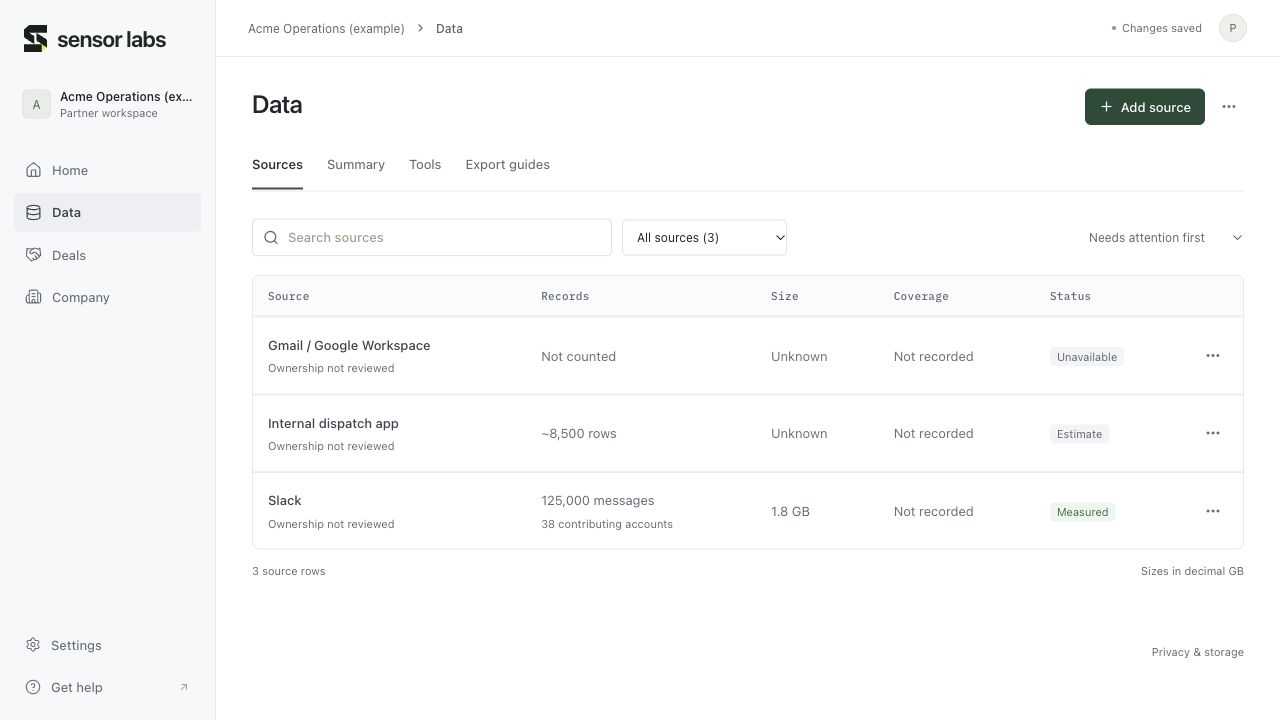
Data → Sources
Search by source or notes, filter for counts or rights needing review, and sort by attention, source name or known size. Click a source name to edit its row. The row’s overflow menu contains its contextual actions, including the matching guide.
Add source creates a record. Data actions offers guided setup, inventory JSON import and CSV download. Removing a source record changes your inventory; it does not delete the source system’s records.
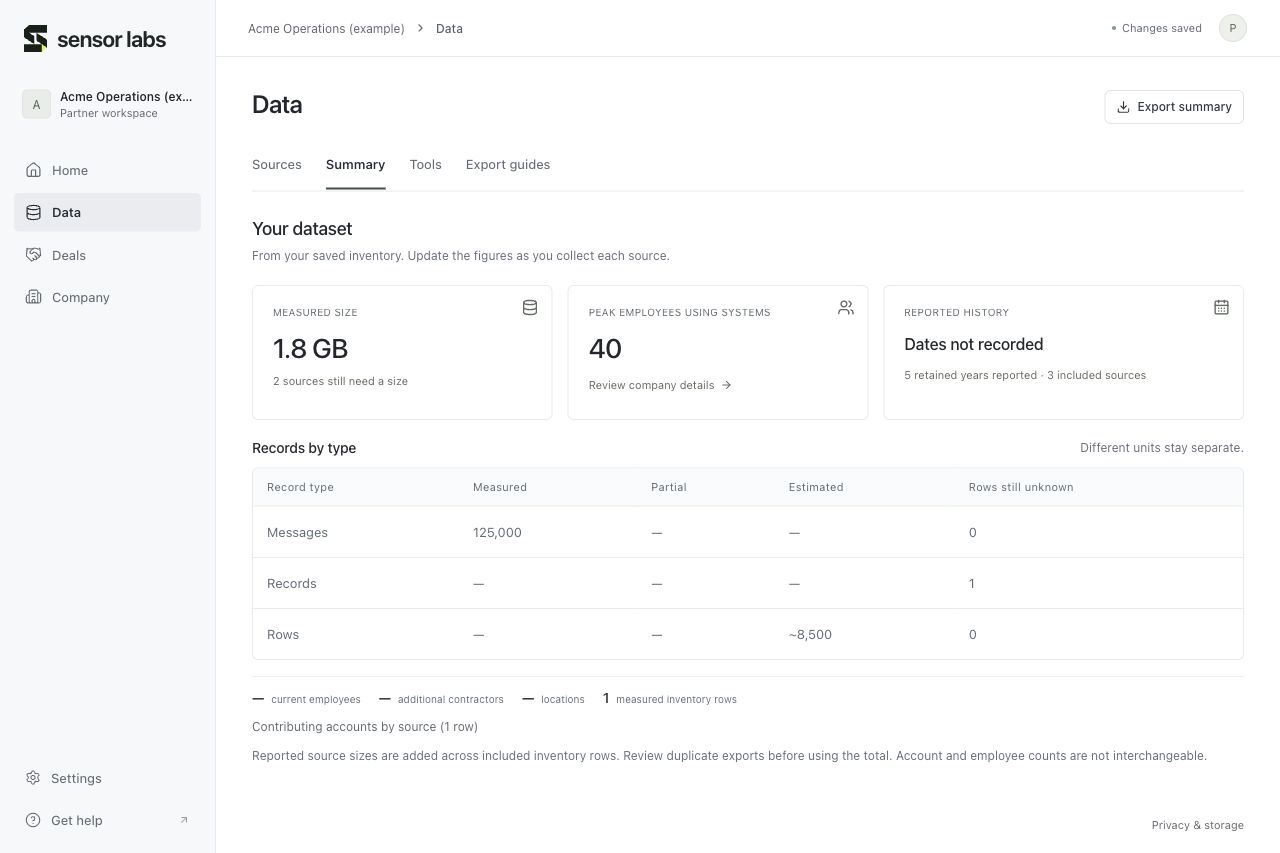
Data → Summary
Summary shows size, coverage, separate record types and workforce details from saved metadata. Measured, partial and estimated figures remain distinct. Unknown rows stay visible rather than becoming zero.
Export summary produces a company brief. It leaves out internal notes, offers, referral codes and insurance documents. Review any exported file before sharing it.
Tools and guides stay connected
Use Data → Tools to add current or former systems and custom apps. Save & view export guides updates your selected tools. Deselecting a tool preserves its saved inventory rows, so historical metadata is not silently lost.
Data → Export guides follows your saved selections. Use the source row’s guide action when you want instructions for that specific source.
Open Tools